


Facial recognition is no longer a concept reserved for tech conferences. For contractors across Colorado and Wyoming, the construction biometric time clock has become a real operational question: does identity verification at the gate or the clock terminal solve enough problems to justify the data it collects? This article breaks down what these systems actually do on a job site, where Colorado’s biometric data rules change the calculation, and how to decide whether a pilot makes sense for your firm.
Construction Executive recently examined how AI and facial recognition can deliver practical jobsite value, from verifying worker identity to linking attendance with compliance records. That national conversation matters for Colorado and Wyoming contractors because the technology is now commercially available in ruggedized, field-ready hardware, and because Colorado enacted specific biometric data protections that took effect July 1, 2025.
The question is no longer whether the construction industry will encounter facial recognition. The question is whether your next project warrants it, and whether your policies, vendor contracts, and field teams are ready. ABC Rocky Mountain’s construction technology adoption playbook provides broader context for evaluating AI tools; this article narrows the focus to biometric time clocks, access control, attendance records, and the compliance decisions that come with them.
Biometric data, in plain terms, is information derived from a person’s physical or behavioral traits (a facial template, fingerprint, iris scan) that can uniquely identify them. Biometric systems use unique traits for identity verification, replacing shared badges or memorized PINs with something a worker cannot lend to a coworker.
Here is how a facial recognition time clock typically works on site:
Buddy punching and time theft. Buddy punching inflates payroll costs by up to 2.2% annually. Biometric systems eliminate buddy punching by verifying worker identity at every clock event. Digital time tracking prevents buddy punching and attendance errors, and biometric time tracking eliminates buddy punching and time theft entirely when the system works as designed. Biometric systems reduce time theft by 2.2% annually.
Job costing and payroll accuracy. Accurate time tracking improves job costing and payroll accuracy because verified hours tie directly to cost codes, specific projects, and crew management decisions in the field. Biometric clocks can improve time accuracy by linking hours to specific projects or tasks, giving project managers real-time labor-cost data. Automated time tracking reduces manual errors in payroll processing, meaning fewer disputed time entries and fewer missed punches that require admin work.
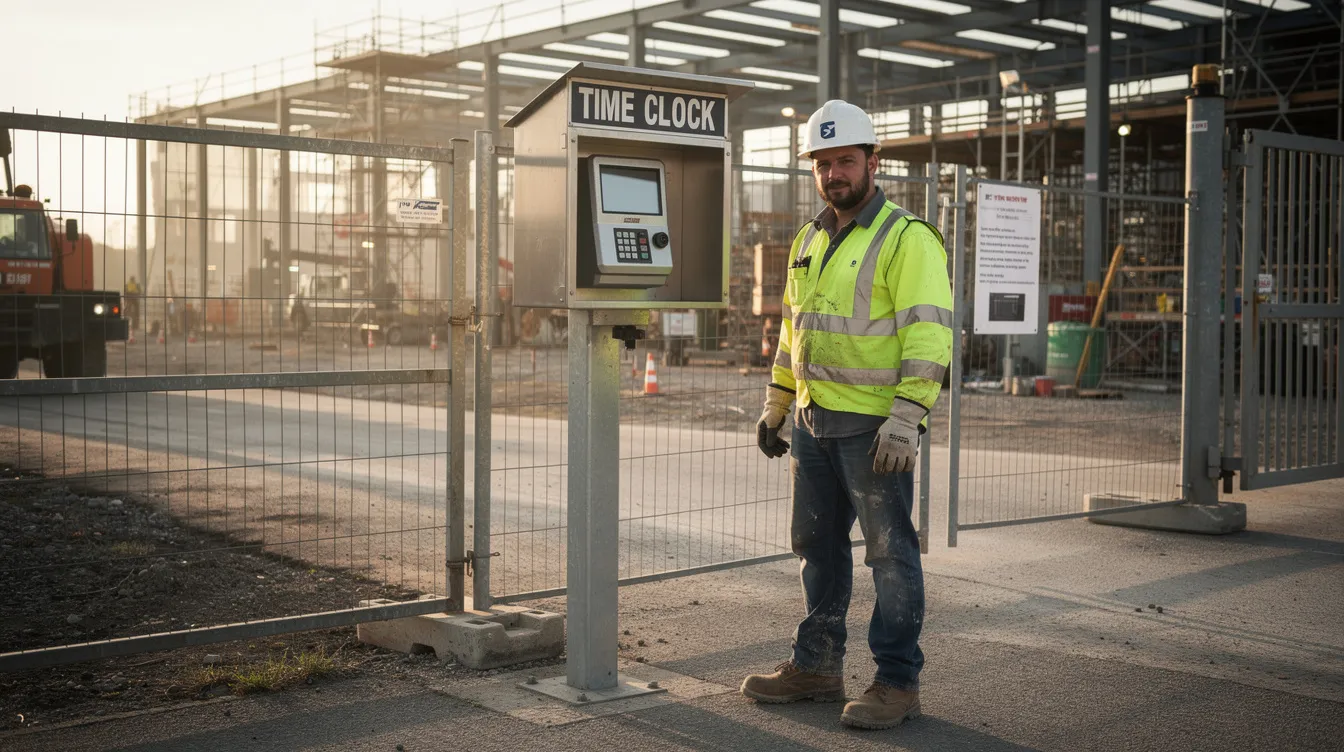
Beyond payroll, biometric verification strengthens several operational areas that matter for construction and field teams working across multiple job sites.
Site security and access control. In 2022, nearly 11,951 burglaries occurred at construction sites. Biometric access systems prevent unauthorized entry to restricted areas and can enhance jobsite security and tracking. Biometric access systems eliminate buddy punching and time theft at the gate, ensuring only credentialed workers pass through.
GPS and geofencing integration. GPS technology helps ensure workers clock in from the right job area, not just any location. GPS coordinates are stamped on every clock-in and clock-out, and GPS tracking ensures accurate clock-ins at job sites. A geofencing feature sends notifications when workers enter job sites, and geofencing ensures employees clock in only at job sites by preventing clock-ins outside designated job areas. GPS breadcrumbs provide a history of employee movements, and GPS functionality helps verify employee clock-ins at job locations. GPS technology also helps reduce buddy punching and time theft by confirming location tracking data alongside identity.
Attendance and emergency headcounts. Biometric systems provide real-time on-site headcount, which matters when a safety incident requires immediate accountability for every worker. Accurate time records help maintain compliance with labor laws, and biometric systems provide verifiable audit trails for compliance in construction projects.
Workforce management across locations. Mobile biometric applications support construction crews across multiple job sites. Portable time clocks enable accurate time tracking on job sites without permanent infrastructure. Biometric systems verify worker qualifications in real time, and automated systems reduce errors in verifying worker certifications, reducing the burden on supervisors who manage crew schedules and scheduling features across projects. Automated timecards cut payroll processing time significantly, freeing admin work hours for project planning.
Not every construction site needs facial recognition. Here is a practical comparison:
| Factor | Facial Recognition | Badge / Proximity Card | PIN Code |
|---|---|---|---|
| Buddy punching risk | Eliminated | High (cards are easily shared) | High (PINs are easily shared) |
| Contactless use | Yes | Yes | No |
| Dirty hands / PPE | Works with safety glasses, hard hats | Works | Difficult with gloves |
| Data sensitivity | High (biometric information collected) | Low | Low |
| Spoofing resistance | Liveness detection in facial recognition systems prevents spoofing attempts | Moderate | Low |
| Environmental durability | Ruggedized biometric devices are designed to withstand harsh job site conditions | Rugged options available | Rugged options available |
Facial recognition clocks are contactless and ideal for dirty job sites where construction workers handle concrete, adhesives, or coatings. Facial recognition enables contactless authentication without removing gloves or cleaning hands. Facial recognition technology reduces buddy punching in time tracking more reliably than any shared credential.
By contrast, fingerprint scanners can struggle in construction because dirt or cuts on a worker’s hands can interfere, although fingerprint readers are built to withstand tough construction environments. Rugged time clocks withstand harsh construction environments regardless of the biometric method.
When a non-biometric system works better. A badge or PIN reduces operational risk when the workforce is small and stable, when biometric collection adds little value to site activity, or when the legal overhead of consent, retention, and deletion outweighs the payroll savings. If your construction teams do not have a documented buddy punching or time theft problem, the simpler system is the better choice.

Contractors must consider data privacy regulations before implementing biometric systems. Colorado’s regulatory landscape makes this review more urgent than in most states.
Colorado HB24-1130, effective July 1, 2025, added specific protections for biometric identifiers and biometric data under the Colorado Privacy Act. Key requirements for employers:
This article provides operational guidance, not legal advice. Contractors should verify current requirements with qualified counsel before any deployment.
Wyoming’s separate framework. Wyoming does not currently have a private-sector biometric privacy statute comparable to Colorado’s HB24-1130. Proposed Wyoming legislation (such as HB0091 and HB0181) addresses biometric data use by governmental entities, not private employers. Wyoming contractors should monitor legislative developments and avoid assuming today’s regulatory gap will persist. Treat each state as a separate jurisdiction when evaluating risk.
Before any purchase, require written answers from vendors to these questions:
Use these answers as a scoring tool. Vague responses on retention or deletion are a compliance risk under Colorado law and a signal to keep looking.
Start with one job site where the operational problem is documented: high buddy-punching rates, contested working hours, or access-control gaps at a sensitive construction site. Define the problem before testing the technology.
Before the pilot begins:

Use this as a decision framework:
The decision to deploy a construction biometric time clock starts with a policy review, not a purchase order. Before scheduling a vendor demo:
Whether you move forward with facial recognition or stay with badges, document the decision. Contractors that track hours accurately, protect biometric information responsibly, and prevent buddy punching without creating new compliance exposure will be positioned for growth across Colorado and Wyoming construction projects.


