


Construction firms across Colorado and Wyoming are hearing the same message from vendors, peers, and industry headlines: AI is moving into estimating, document management, scheduling support, and other everyday workflows. But buying an AI feature or adding another platform does not mean a company is ready to use it well. For Rocky Mountain contractors, the better question is simpler: do you have the data, process discipline, and human oversight needed to make AI useful without creating new risk?

AI is no longer just a future-facing topic in construction. Contractors are testing it in preconstruction, internal documentation, project reporting, and administrative workflows. At the same time, current industry research suggests many firms are still early in their broader technology maturity. Wipfli’s 2026 construction technology research found that fewer than one-third of surveyed firms met its criteria for high technology maturity. That gap matters because adding tools is not the same as being ready to use them effectively.
That readiness question is especially relevant for contractors in Colorado and Wyoming. Some firms in Denver and the Front Range may already manage larger software stacks, more digital documentation, and more complex owner reporting demands. Other firms, especially leaner operations or teams spread across remote work, may need a more selective approach. In both states, the business issue is the same: if AI is going to touch estimating, project controls, document review, or safety-related paperwork, the inputs and review process have to be dependable.
The stakes are straightforward. A well-scoped pilot may save administrative time or improve consistency in a repeatable workflow. A poorly scoped rollout can create confusion, expose sensitive data, or push unreliable outputs into decisions that still require experienced human judgment. That is why AI readiness is a management issue before it is a software issue.
This article works best as a readiness diagnostic companion to broader technology-adoption planning. For most firms, the decision tree looks like this: if your data and workflows are already disciplined, consider a narrow pilot now. If readiness is mixed, pilot one lower-risk use case while cleaning up gaps in parallel. If foundational gaps are serious, pause and fix them before expanding AI use.
AI readiness in construction means your company can introduce AI into a defined workflow without losing control of accuracy, accountability, or supervision. It does not mean turning every process over to automation. It means your team knows what problem it is trying to solve, where the relevant data lives, who reviews the output, and what should never be delegated to a tool.
In practical terms, an AI-ready contractor usually has reasonably consistent records for the workflow in question, whether that is RFIs, meeting notes, submittals, cost codes, daily reports, or estimate backup. Project managers, estimators, and operations leaders know which version of a document is current and who owns it. The company also has a basic rule set for labeling, reviewing, correcting, and approving AI-generated content.
Just as important, AI readiness is cultural. Your people need to understand that AI output is draft support, not authority. If a superintendent, estimator, or project manager cannot quickly test whether a result looks wrong, the tool is being asked to do too much.
Most AI-readiness problems in construction fall into three buckets. If one is weak, the tool may still produce output, but that does not mean the output is reliable.
1. Data readiness
Data readiness means the information behind a workflow is organized enough to be reused. That includes consistent job naming, stable file locations, current document versions, and records that are not scattered across inboxes, personal drives, and text threads. If you want AI to help summarize meeting notes, compare revisions, or support estimating review, the source material needs to be reasonably complete and easy to trace.
2. Process readiness
Process readiness means you already have a repeatable workflow in place. AI works better when it supports an existing checklist, review path, or standard operating procedure. If change-order review, submittal logging, meeting documentation, or estimate handoff varies widely from one project manager to the next, AI is likely to mirror that inconsistency instead of fixing it.
3. People readiness
People readiness means staff using the tool understand both the task and the tool’s limits. Someone needs to review the output, catch obvious errors, and decide whether the result is good enough to use. That applies in the office and in the field. The stronger your training, documentation habits, and supervisory culture, the more realistic it is to use AI responsibly in support roles.
These three foundations reinforce one another. Good data without review habits still creates risk. Strong people with weak records still waste time. And a clean process with no clear owner usually breaks down as soon as schedules tighten.
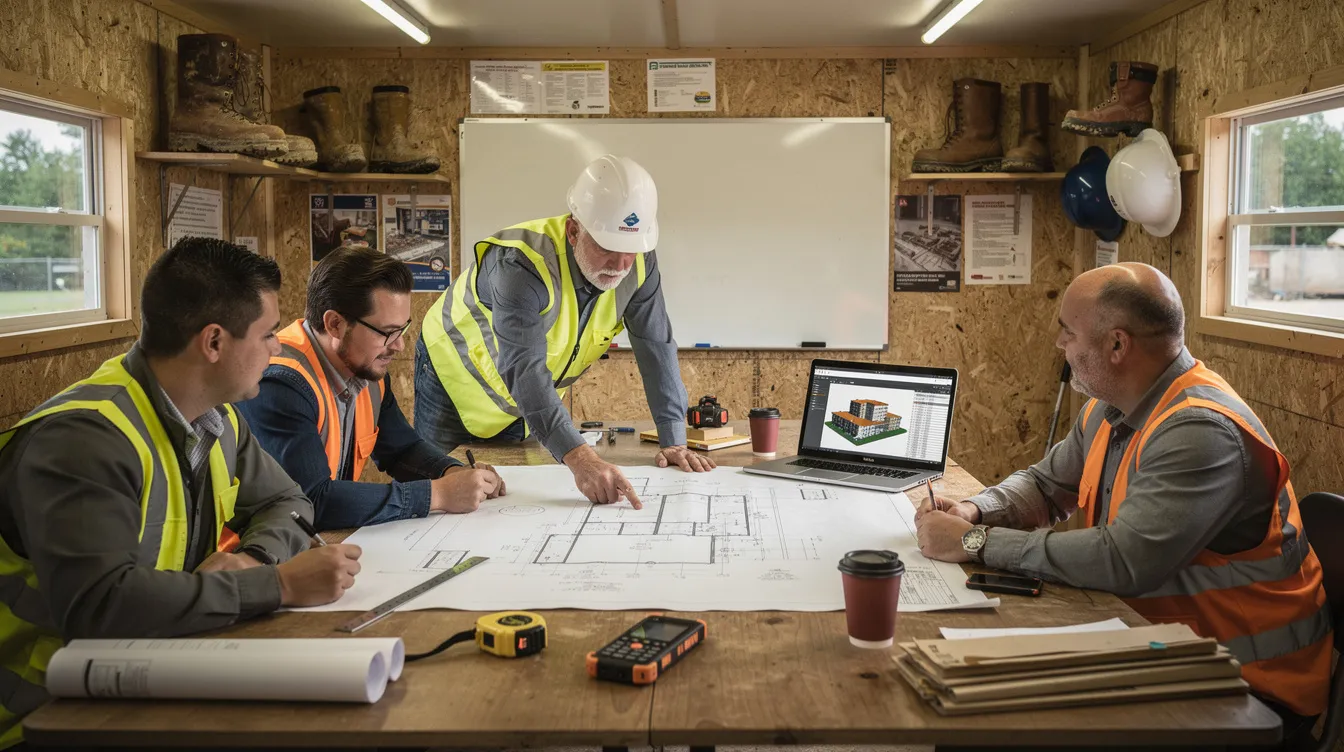
Not every construction workflow carries the same risk. The safest starting point is usually a document-heavy task where a human can easily review and correct the result before anything moves downstream.
Common lower-risk pilot candidates include:
These use cases are attractive because they target repetitive work without asking the software to make the final call. They also fit what many contractors are already exploring in preconstruction and project administration.
Higher-risk uses deserve much tighter boundaries. Contractors should be cautious about relying on AI to create or alter design details, issue client-facing contract language without legal review, or drive safety-critical field decisions. OSHA’s construction resources emphasize that construction is a high-hazard industry and provide standards, compliance materials, and hazard-recognition guidance for the sector. That makes AI a poor substitute for competent supervision on issues such as fall protection, excavation, electrical hazards, crane activity, or confined spaces.
A good rule is this: if the decision could materially affect life safety, contractual risk, or professional responsibility, AI should support review and documentation rather than act as the decision-maker.
Colorado and Wyoming contractors do not all operate the same way, and not every firm fits a regional stereotype. Still, the readiness conversation often looks a little different depending on company size, project mix, and geography.
Some Colorado contractors, particularly in busier Front Range markets, may already have more digital coordination, denser reporting requirements, and larger project data sets. That can make certain AI pilots easier to test, but it can also create more governance questions around permissions, version control, and data handling.
Many Wyoming contractors and some rural Colorado firms may prefer a narrower starting point, especially if teams are lean and systems are simpler. In those environments, the best first step may be less about advanced automation and more about organizing records, documenting a process, and identifying one workflow where AI could save time without adding complexity.
The point is not that one state is “more ready” than the other. The point is that AI readiness should be assessed at the company and workflow level, not assumed from headlines or vendor demos.
Before your company buys or expands any AI tool, put the leadership team in one room and walk through these questions.
Strategy
Data
Process
People and oversight
Security and governance
Common red flags that suggest a firm is not ready yet:
If several of those red flags apply, the better move may be to spend the next 60 to 90 days tightening data discipline and workflow consistency first. ABC Rocky Mountain’s construction technology adoption playbook can help members think through that broader rollout question.
If your firm appears ready for a pilot, keep the first one narrow.
Days 1-30: Define the workflow
Pick one process, one team, and one success measure. Good examples include drafting internal meeting notes, summarizing specifications, or providing limited estimating support on a repeatable document set. Decide who owns the test, which documents you’ll use, and how you’ll review results.
Days 31-60: Run the pilot on a small set of real work
Use the tool in parallel with your existing process. Track whether it saves time, improves consistency, or creates extra cleanup. Require users to mark outputs as accepted, edited, or rejected so the company can see where the tool helps and where it does not.
Days 61-90: Evaluate before expanding
Review the results against the original goal. Did the pilot reduce manual effort? Did it create trust or extra correction work? Did the workflow stay under human control? Decide whether to scale the same use case, refine the process, or stop.
The key is restraint. One workflow is enough for a first pilot. If your company is already testing AI in estimating, for example, avoid launching several unrelated pilots at the same time. Learn from one before widening the scope. Contractors that want a narrower preconstruction example can also review ABC Rocky Mountain’s article on AI in construction estimating.
Safety is where discipline matters most. OSHA’s construction pages help industry stakeholders identify, reduce, and eliminate jobsite hazards, and OSHA’s compliance resources point contractors to standards, enforcement guidance, and state-plan contacts where applicable. That is a useful reminder of AI’s proper role in safety-related workflows: support the work, do not replace the people responsible for it.
AI may help draft toolbox-talk outlines, organize incident records, summarize internal observations, or turn existing company guidance into a first draft for review. But it should not be treated as the final authority on hazard controls or field conditions. Competent persons, supervisors, safety leaders, and project management still own those decisions.
That distinction matters across Colorado and Wyoming alike. If your firm cannot clearly explain where AI stops and human authority begins, it is not ready to use AI near safety-sensitive decisions. Contractors looking to strengthen the supervisory habits behind safe implementation can pair this conversation with ABC Rocky Mountain’s construction safety leadership guidance.
Before giving any AI tool access to company data, decide who owns the rules. That does not require a large committee, but it does require clarity. Someone should define approved use cases, prohibited uses, review expectations, and who can authorize expansion beyond a pilot.
Basic controls matter here: sign-in security, user permissions, careful handling of confidential files, and a realistic understanding of what information should never be pasted or uploaded without review. The vendor conversation should also be practical. Ask how the tool fits your current systems, what data it stores, what users can see, and how your team can turn the feature off or limit access if needed.
For Colorado and Wyoming contractors, the next step is not to chase every new AI product. Instead, evaluate one workflow honestly. If the underlying process is messy, fix the process. If the records are organized and the task is repetitive, test a narrow pilot. If the work touches safety, contracts, or professional judgment, keep human review at the center.
ABC Rocky Mountain members can use chapter resources on construction technology, estimating workflows, and safety leadership to support that evaluation. The most useful starting point is often simple: choose one recurring task, identify one accountable reviewer, and decide whether AI will improve the work or just add another layer of software.
Below are answers to common questions about this topic.
General technology readiness may mean a company has software, cloud storage, and connected devices in place. AI readiness adds another layer: the company also needs organized data, a repeatable workflow, and a qualified person who can review the output before it affects real decisions.
The best first use cases are usually lower-risk, document-heavy tasks such as internal meeting summaries, specification review support, addenda comparison, or first-draft administrative reporting. Those tasks are easier to test because human review can stay simple and direct.
Common warning signs include inconsistent document storage, weak version control, unclear workflow ownership, and pressure to roll out multiple tools before testing one narrow process. If those issues are present, readiness work should come before expansion.
Yes, but that does not mean they need a major purchase today. Many common construction platforms are adding AI features, so smaller firms benefit from getting their records and workflows organized now. That makes later adoption easier and lowers the risk of rushed decisions.
ABC Rocky Mountain can help members evaluate AI in the context of actual contractor operations rather than hype. Related chapter resources on technology adoption, estimating, and safety leadership can support internal discussions about whether a workflow is ready for a pilot and where stronger process discipline is needed first.


